
| Updated Blogs |
|
Why Every Small Business Needs Reliable Web Hosting
Computer Support Blog
Essensial Software for Web Based Support
HP Server and Desktop
More .....
|


 RSS Feed | Login
 obd2toolqingblog
welcome my blog
How to Set Wifi Connection for Mercedes SD C4C5
By qing at 2019-12-04 04:09:39
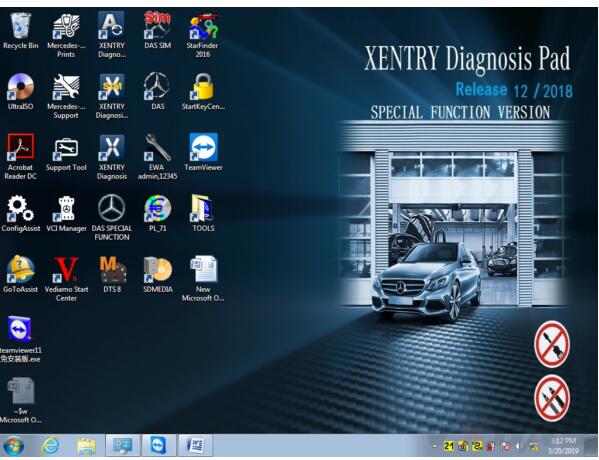
Mercedes SD C4 is professional diagnostic and programming tool for Mercedes Benz cars and trucks. When you received the C4/C5 multiplexer, you may would like to connect it with wireless for works. OBD2TOOL here provide full steps to set the wifi connection for you.
Mercedes SD C4 Overview:Software Version: 2019.12
Hardware Version: OS: 2.3 CSD: 2.11
Support Wireless / Lan Cable Connection.
Work for Benz Car & 24V Trucks.
Multi-Languages: English, Bulgarian, Danish, Greek, Spanish, French, Italian, Korean, Polish, Romanian, Serbo-Croatian, Turkish, Czech, German, Finish, Hungarian, Japanese, Dutch, Portuguese, Russian, Swedish, Chinese.
Mercedes SD C4 Wifi Connection Setting Steps
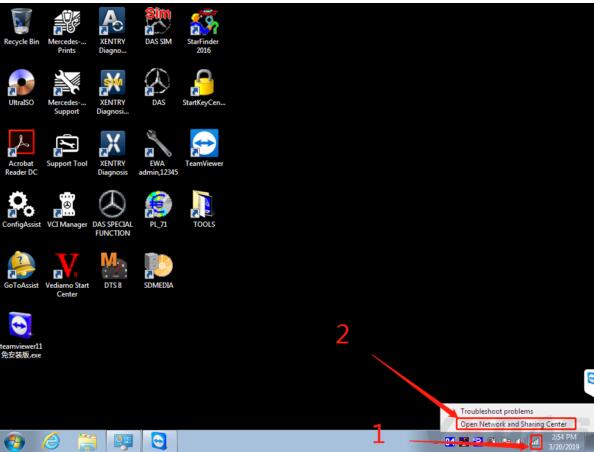
#1 Firstly, right click on the network icon, choose “Open Network and Sharing Center”, as the picture shows below:
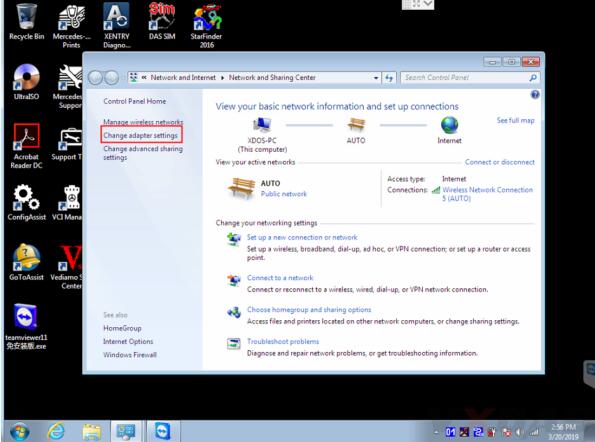
#2 Then choose “Change adapter settings”.
Now it enters this place.
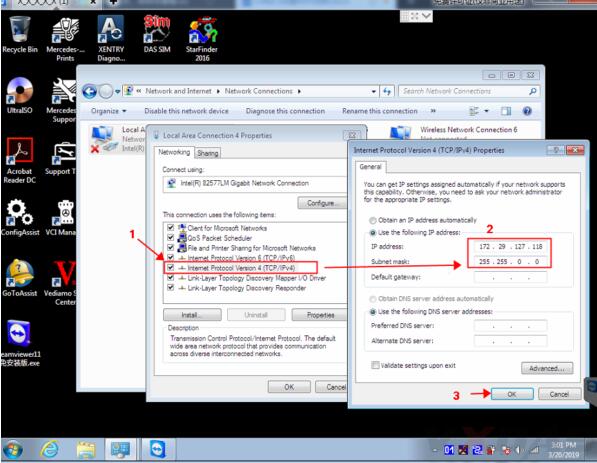
#3 Set wired IP address.
Right click “Local Area Connection”, then click “Properties”.
IP address: 172.29.127.118
Subnet mask: 255.255.0.0
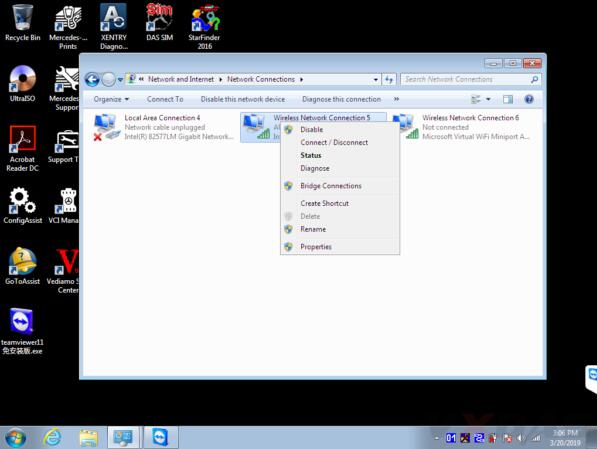
#4 Set wireless IP address. Right click “Wireless Network Connection” then click “Properties”.
IP address: 192.168.2.108
Subnet mask: 255.255.255.0
#5 Now you can set C4/C5 multiplexer Wifi connection password, first connect C4/C5 multiplexer to the car (ignition on), then connect lan cable to C4/C5 multiplexer and laptop.
Right click the icon in the bottom right corner.
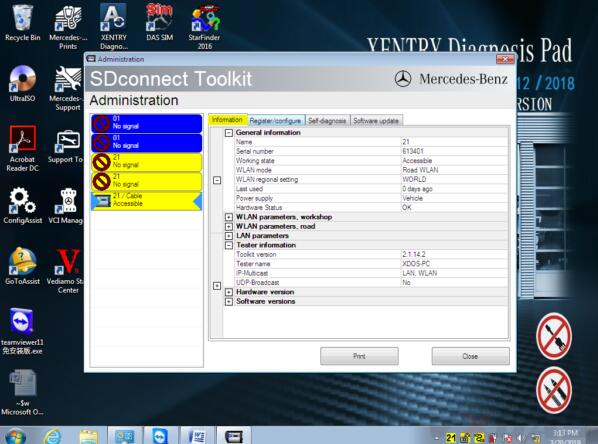
Then choose “Administration”.
It will show this screen.
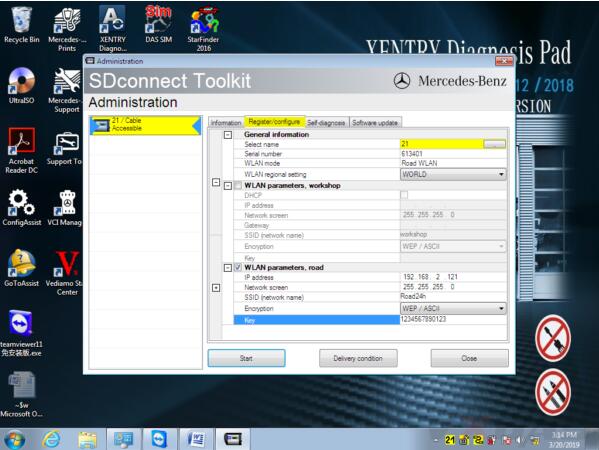
In Administration menu, choose “Register/Configure”.
Then put 1234567890123 in the KEY: 1234567890123 (total 13 numbers), then click “Start”.
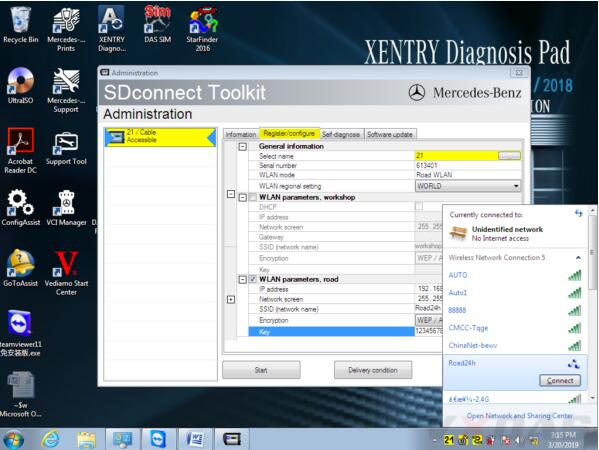
Click the computer icon in the lower right corner.
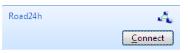
Find “Road24h” in the picture below.
Then Road24h in the Wifi place, click “Connect”.
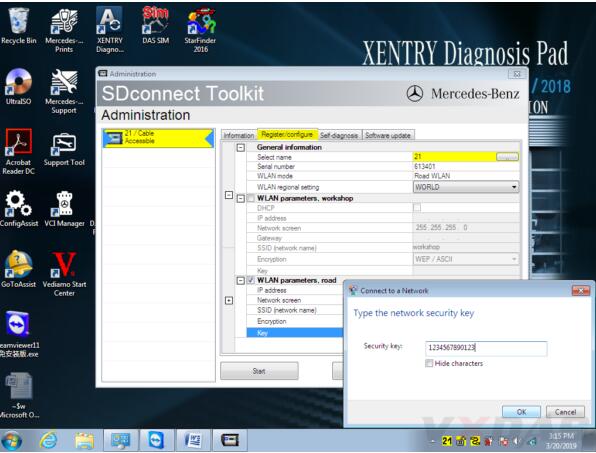
Put the 13 digits password: 1234567890123 for the security key.
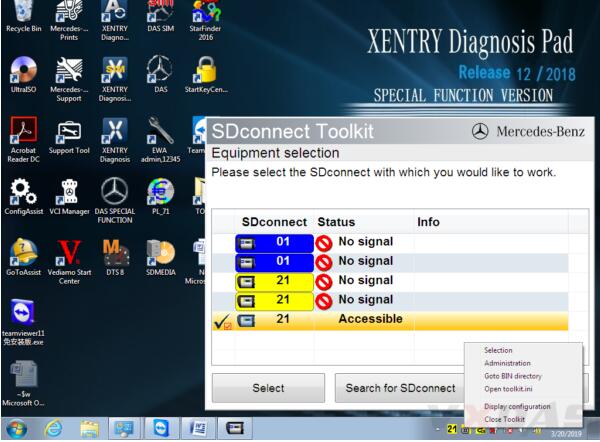
Now please right click this icon.
Then choose “Selection”.
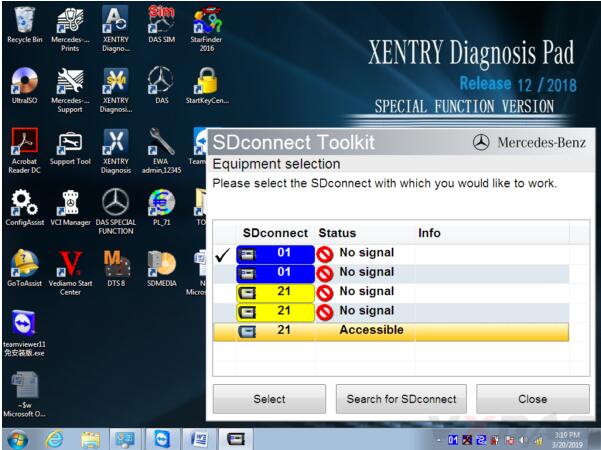
Disconnect the C4/C5 multiplexer and lan cable, then click this “Accessible”.

Disconnect the C4/C5multiplexer and lan cable,click
And click “Select”.
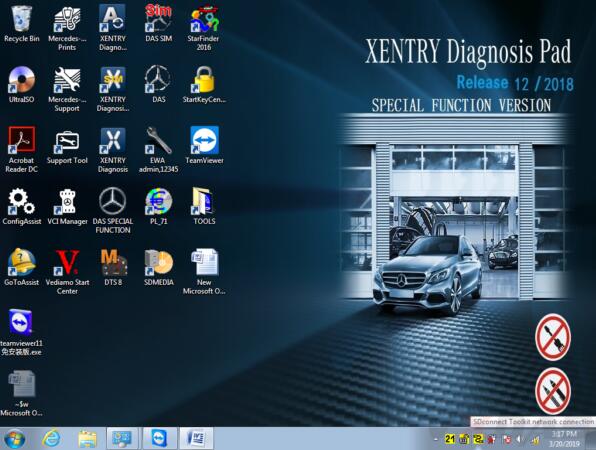
Then you can see these icons appeared in the bottom right corner.
Congratulations! You already finished the settings of wireless for SD C4/C5. Go to use it for testing and works!
If you are interested in OEM SD C4/C5, please refer to our website www.obd2tool.com or check direct access below. Thanks.
SD C4: MB Star C4 Multiplexer
SD C5: MB Star C5 Multiplexer










Permalink | Comments (0)
Comments
To add a comment please login by clicking here