
| Updated Blogs |
|
Why Every Small Business Needs Reliable Web Hosting
Computer Support Blog
Essensial Software for Web Based Support
HP Server and Desktop
More .....
|





 RSS Feed | Login
 obd2toolqingblog
welcome my blog
How to Install ALLData Repair Software
By qing at 2019-07-23 04:18:50
This article show a guide on how to install ALLData repair software,and here take ALLData v10.50 as a example.If you have different version,this installation also can provide reference.
ALLData Repair Software Download Here:
AllData 10.53 Repair Software Download
Procedures:
If a crash bug # 4002, then needed Patch 4002.exe he is in an archive Support_Utilities with the Install disk. (In this archive is also a lot of other goodies!)
Program to see drives on your hard drive
1.Create a folder for example): Alldata 10.50 1982-2011
(extract all the iso-disks DM1Q311.iso (all 48 disks) to the folder you just created, select the extraction (extract the files and specify the path for example: G: \Alldata 10.50 1982-2011\ DM1Q311
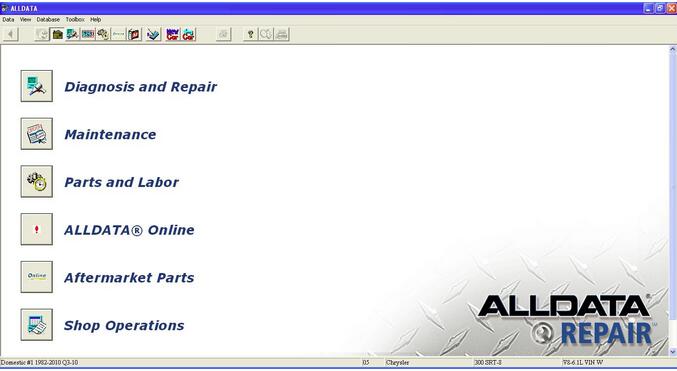
2.Run the installed program) ALLDATA Repair
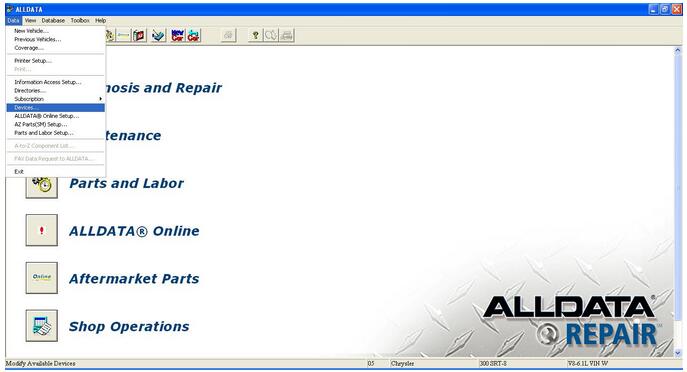
3.Choose the tab) DATA/Devices
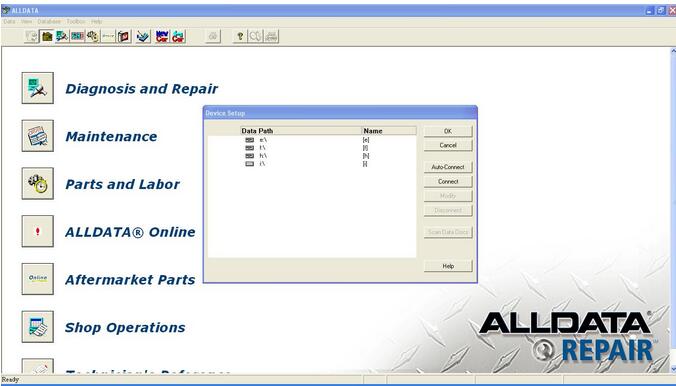
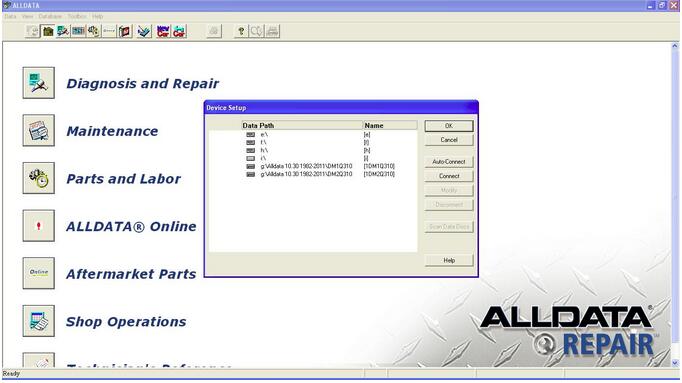
4.A window will appear) Devices Setup
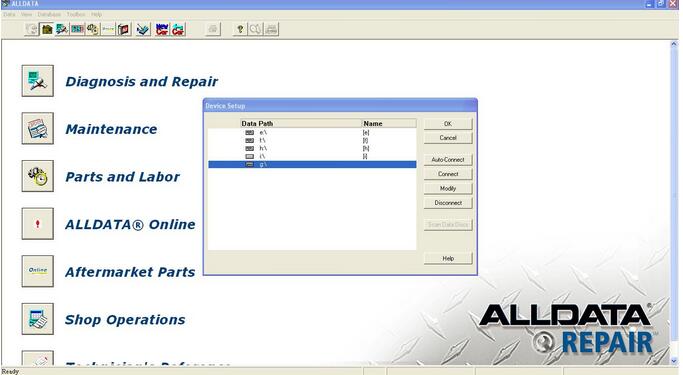
5.Add back to your hard drive where the folder with the unpacked drives. To do this, select (click) Connect and choose from a list of hard and hit OK.
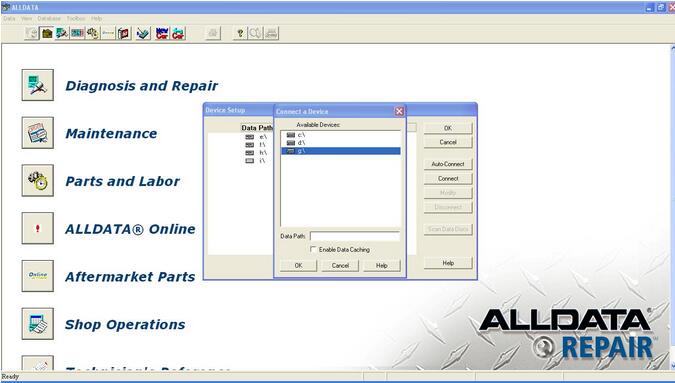
How-to-Install-ALLData-Repair-Software-6)
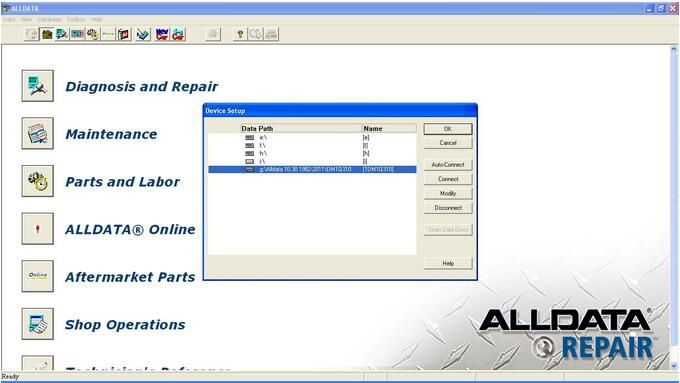
6.Next, select the newly emerged drive where we have a folder with the uncompressed disk in it and click Modify button and specify the path to the folders like this: \ Alldata 10.50 1982-2011\ DM1Q311, etc. all disks

7.Click OK and OK again. And it works!
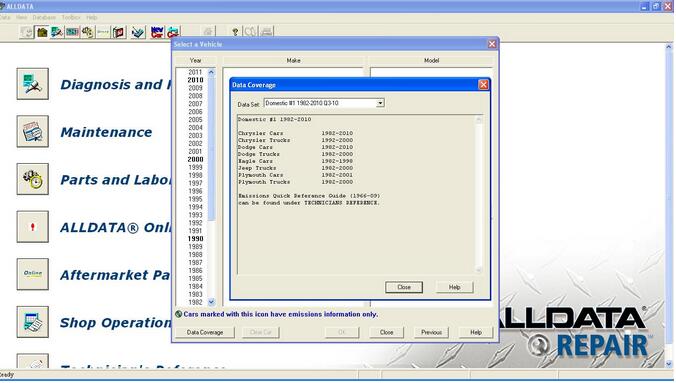
10.Everything (iso) to extract the files in one folder you created, then done a paragraphs 5 and 6 described above, for each file (disk DM1Q311 then DM2Q311 and so all 48 disks) to get here so (in the screenshot, only two, but must all)

Permalink | Comments (0)
Comments
To add a comment please login by clicking here